
How data recovery works: inside a data recovery lab
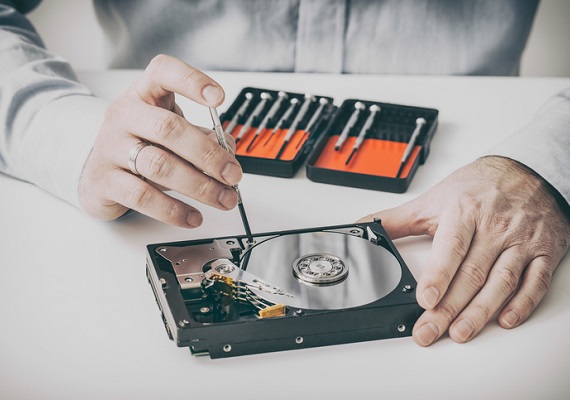
When a hard drive, SSD or server stops giving up its files, it can feel as if the data has simply vanished. In most cases it hasn’t. It is still on the platters or memory chips, and the job of a data recovery lab is to reach it safely without making things worse. Here is how that works in practice.
Three kinds of fault
Every recovery starts with working out what has actually gone wrong. Broadly, faults fall into three groups:
- Logical faults. The hardware works, but the data can’t be reached: deleted files, a formatted or repartitioned drive, a corrupted file system, or a failed operating system update.
- Physical faults. Something has broken: failed read/write heads (often heard as clicking), a seized motor, scratched platters, or a damaged circuit board after a power surge, a drop or liquid.
- Firmware faults. Every drive runs its own internal software. If that becomes corrupted, a perfectly healthy-looking drive may show the wrong capacity, the wrong name, or not appear at all.
The symptoms can overlap, which is why guessing is risky. A drive that “isn’t detected” could have any of the three.
Diagnosis
We assess the device on dedicated equipment rather than plugging it into an ordinary computer, where Windows or macOS may try to “repair” it or write to it. Diagnosis is usually done the same day, and you then get a fixed, no-obligation quote before any recovery work starts.
Cleanroom work on heads and motors
If the heads or motor have failed, the drive has to be opened. That is only done in our in-house cleanroom, because a single particle of dust between a head and a platter can cause permanent damage. Failed heads are replaced with compatible parts, or a seized motor is dealt with, so that the drive can be read one last time. This is not a repair to put the drive back into service; it is a temporary fix to get the data off.
Electronic faults are handled at board level, with careful component repair under magnification. Swapping a circuit board from another drive at home rarely works on modern drives, because each board holds information unique to its own drive.
Imaging with PC-3000
Once a drive can be read, we use PC-3000 equipment to make a sector-by-sector copy (an image) of it. PC-3000 lets us control how a weak drive is read: skipping bad areas and coming back to them later, working around damaged heads, and repairing firmware modules where needed. All further work is done on the image, never the original, so the original is put under as little strain as possible and nothing is lost if it fails again.
SSDs and NVMe drives
SSDs are different. There are no moving parts, and they often fail with no warning at all. The controller chip decides where every piece of data actually lives across the memory chips, and many SSDs encrypt data internally. When the controller or its firmware fails, recovery means working with the controller (often putting it into a special mode with PC-3000) rather than reading the chips directly. Deleted files on an SSD are a separate problem: once TRIM has run, the drive may already have wiped the blocks, so stop using it straight away. More on our SSD data recovery page.
RAID and NAS systems
For RAID arrays, servers and NAS boxes, each member drive is imaged individually first. The array is then rebuilt virtually from those images, working out the disk order, stripe size and parity, so the original disks are never rebuilt or written to. Forcing a rebuild on a degraded array is a common way for recoverable data to be lost. See RAID and server data recovery.
Verification and return
Recovered files are checked so that you know what has come back intact, and they are returned to you on a new drive. You can read a step-by-step summary on our data recovery process page.
Confidentiality
Your data is handled in our own London lab. Data Retrieval Ltd is registered with the ICO (ZA060744) and handles all data under UK GDPR.
Specialist lab or general PC repair shop?
A good PC repair shop or IT department is the right call for a broken screen, a virus, or reinstalling Windows. It is the wrong place for a drive that clicks, isn’t detected, has been dropped or got wet, a failed SSD, or a RAID array that has gone offline. Those need a cleanroom, specialist hardware and firmware tools. Running recovery software, chkdsk or repeated restarts on a failing drive can turn a recoverable fault into a permanent one.
And please don’t put it in the freezer. That old trick dates from much older drives, and on modern ones it mainly adds condensation. We explain why in the freezer trick doesn’t work.
Get a free assessment
If you have a failed drive, power it down and leave it as it is. We offer a free initial assessment and a fixed, no-obligation quote. Call 020 7064 4996 or book your recovery online, then drop the device off in London SE1 or send it by courier.