
Western Digital Data Recovery Specialists in London
Data Retrieval Ltd provides expert Western Digital data recovery services in London, helping businesses and individuals restore files from all WD hard drives and SSD models. Whether your drive has suffered from physical damage, firmware corruption, or logical errors, our certified engineers use PC-3000 tools and ISO-class cleanroom facilities to maximise success rates.
Western Digital, one of the world’s leading HDD and SSD manufacturers for over 30 years, produces popular models such as WD Blue, Black, Red, Green, Elements, and My Book. Despite their reputation for reliability, WD drives are still prone to failure. At Data Retrieval Ltd, we deliver fast, secure, and professional recovery solutions to get your valuable data back.
Common WD Drive Issues We Recover
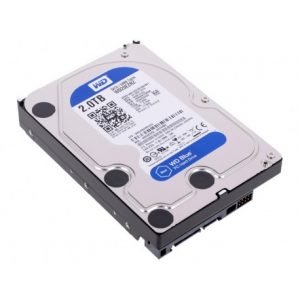
- Burnt or failed WD PCB (circuit board)
- Firmware corruption or failed updates
- Clicking, knocking, or sweeping noises (head crash)
- Bad sectors and repeated read/write errors
- Physically damaged or crashed heads
- Drives not detected or failing to spin
- Accidental formatting, partition loss, or logical corruption
Our Western Digital Recovery Services
We handle Western Digital internal and external drives, as well as SSDs. Supported models include:
- WD Enterprise – high-capacity server drives
- WD Caviar – legacy desktop drives
- WD Elements – portable & desktop
- WD My Book & My Book Duo
- WD Blue Series – everyday use
- WD Green Series – energy-efficient drives
- WD Black Series – gaming & performance
- WD Red & Red Pro – NAS & RAID
- WD NAS Drives – for QNAP, Synology, Buffalo
- WD SSDs – WD Blue SN570, WD Black SN850X, portable SSDs
Why Choose Data Retrieval?
- 15+ years of WD data recovery expertise
- Certified Class 10 ISO 4 cleanroom
- Advanced tools: PC-3000 & forensic imaging
- ICO Registered – Reg No: ZA060744 for strict privacy
- Free Initial Assessment & transparent pricing
- Fast turnaround & emergency recovery options
Contact Our London WD Recovery Experts
If your WD hard drive shows signs of failure — unusual noises, slow performance, or not being recognised — contact Data Retrieval Ltd immediately. DIY attempts can reduce recovery chances. Call 020 7064 4996 or use our secure Book Your Recovery form today.