
The old freezer trick to save a hard drive doesn’t work anymore
Hard drives, SSDs and external drives hold most of our photos, documents and work. Whatever type of drive you use, it can still fail and take your data with it.
Drives can fail for many reasons, including file system corruption, malware, sudden power cuts, physical wear and human error. Common warning signs include frequent freezes, a growing number of bad sectors, SMART warnings, strange noises and files that will not open. If you notice any of these, getting your data off safely should be your priority.
Data recovery is not easy, and the internet is full of home remedies that promise to bring a dead drive back to life. The most famous of these is the freezer trick. It was once passed around as a last resort, but on modern drives it does not work, and it can make the problem much worse.
What is the freezer trick?
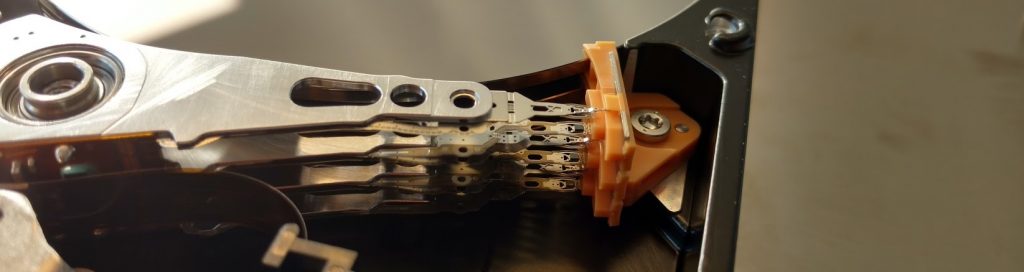
On older hard drives, a common cause of failure was “stiction”: the read/write heads stuck to the platter surface, often because the lubricant had broken down. The platters could not spin, the drive would not read, and the data seemed lost.
The freezer trick involved sealing the drive in a plastic bag and leaving it in the freezer for several hours. The idea was that the cold would shrink the metal parts slightly and free the platters, allowing the drive to spin up long enough for the user to copy their data before it locked up again.
Why it is a thing of the past
Modern drives are built differently. Most park their heads on a ramp off the platters when they are not in use, and use improved lubricants, so stiction is now rare. The faults that actually affect today’s drives, such as worn or damaged heads, failing motors, damaged platters, firmware problems and failed circuit boards, are not helped by cold at all. SSDs have no moving parts, so freezing them achieves nothing.
Experts do not recommend the freezer trick, and it should not be attempted. The risk of losing your data far outweighs any small chance of it working:
- Condensation: moisture in the air inside the bag and drive turns to ice, then to water as the drive warms up. Water on the platters, heads or electronics can cause corrosion and short circuits.
- Head and platter damage: running a drive while moisture is present can cause the heads to crash into the platter surface, scratching away the data.
- Lost time: every attempt to power up a failing drive adds wear and reduces the chance of a successful professional recovery.
The same goes for other home remedies, such as tapping the drive, opening it up or swapping circuit boards. Our guide to getting data off a failing hard drive explains what is safe to try and what to avoid.
Your safety net: backups
The most reliable way to protect yourself from drive failure is to keep regular backups of your important data, ideally with one copy away from the computer, such as in the cloud. Keep an eye out for the warning signs of failure, and if you spot them, back up straight away. Our guide on how to back up your data is a good place to start.
Get help from a data recovery specialist
A drive can fail for reasons that are not obvious from the outside. If yours is not working, stop using it and let a specialist diagnose it properly. In our lab we carry out head, motor and board repairs in our in-house cleanroom, and work from a sector-by-sector copy of your drive, never the original. Read more about how hard drive recovery works.
We offer a free initial assessment, with diagnosis usually the same day, and a fixed, no-obligation quote before any recovery starts. Call 020 7064 4996 (Mon–Sat 09:00–18:00) or book your case online.