
Synology Drives, Expansion Units & BeeStation Data Recovery
Alongside its NAS devices, Synology sells its own hard drives and SSDs, expansion units that add extra drive bays, the BeeStation personal cloud and BeeDrive portable backup SSD, and dedicated video surveillance recorders. Each of these needs a slightly different recovery approach.
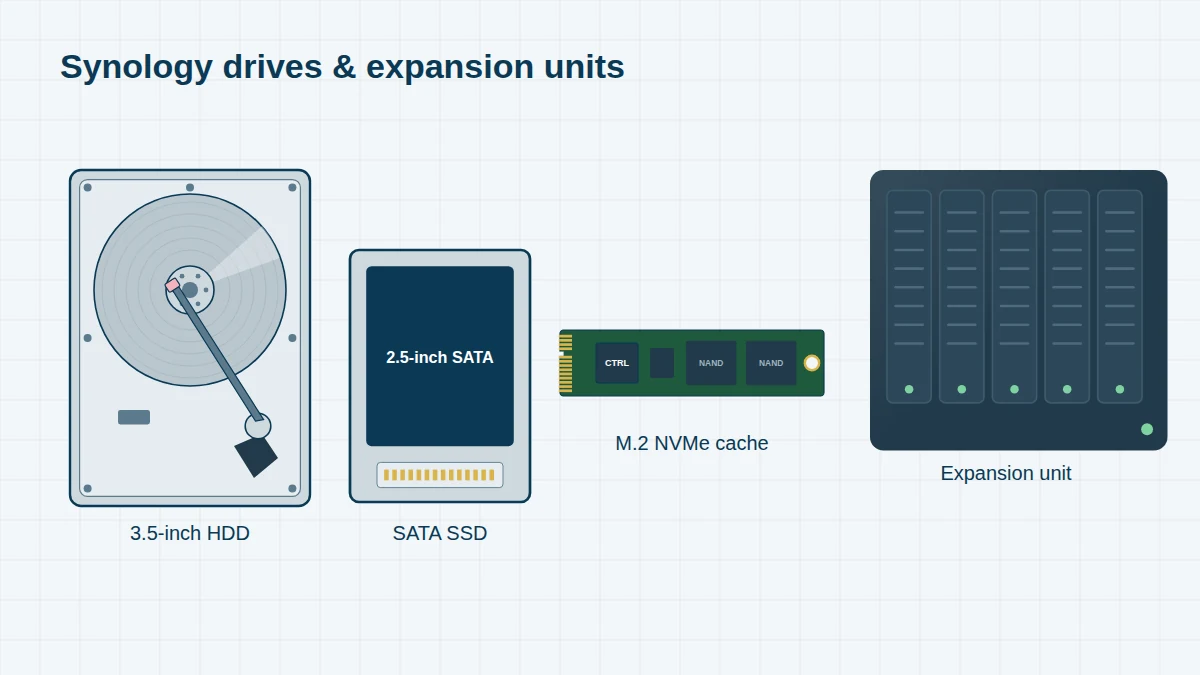
Synology’s own drives are made for Synology by established drive manufacturers, and inside they are closely related to those manufacturers’ enterprise models. That means we can source compatible donor parts and use the same cleanroom and firmware techniques as for any other hard drive.
Synology Drives, Expansion Units & Other Devices
Reading a Synology model name. Take the DS1522+: DS means DiskStation (desktop); 15 is the maximum number of drives it supports including expansion units; 22 is the model year (2022); and the suffix gives the series – j entry-level, no suffix value, + Plus, xs/xs+ high-end. RS is RackStation, DX/RX are expansion units. If your model isn’t listed, send us the name from the label – we recover every Synology system.
Synology hard drives & SSDs 11 entries
Synology has sold its own-brand drives since 2020. The part number gives the capacity – for example HAT5300-8T is an 8TB drive.
| Year | Part number | Capacity | Type |
|---|---|---|---|
| 2020 | HAT5300-4T / -8T / -12T / -16T | 4–16TB | Enterprise SATA HDD |
| 2021–23 | HAT5310-8T / -18T / -20T | 8–20TB | Enterprise SATA HDD |
| 2021 | HAS5300-8T / -12T / -16T | 8–16TB | Enterprise SAS HDD |
| 2021 | HAT3300-4T / -6T / -8T / -12T / -16T | 4–16TB | Plus series SATA HDD |
| 2023–24 | HAT3310-8T / -12T / -16T | 8–16TB | Plus series SATA HDD |
| 2020 | SAT5200 series | 480GB–7TB | 2.5-inch SATA SSD |
| 2021 | SAT5210 series | 480GB–7TB | 2.5-inch SATA SSD |
| 2023 | SAT5221 series | 480GB–3.84TB | 2.5-inch SATA SSD |
| 2020 | SNV3400-400G / -800G | 400GB / 800GB | M.2 NVMe cache SSD |
| 2021 | SNV3410-400G / -800G | 400GB / 800GB | M.2 NVMe cache SSD |
| 2024 | SNV5420 series | 400GB and up | M.2 NVMe SSD with power-loss protection |
Expansion units 12 entries
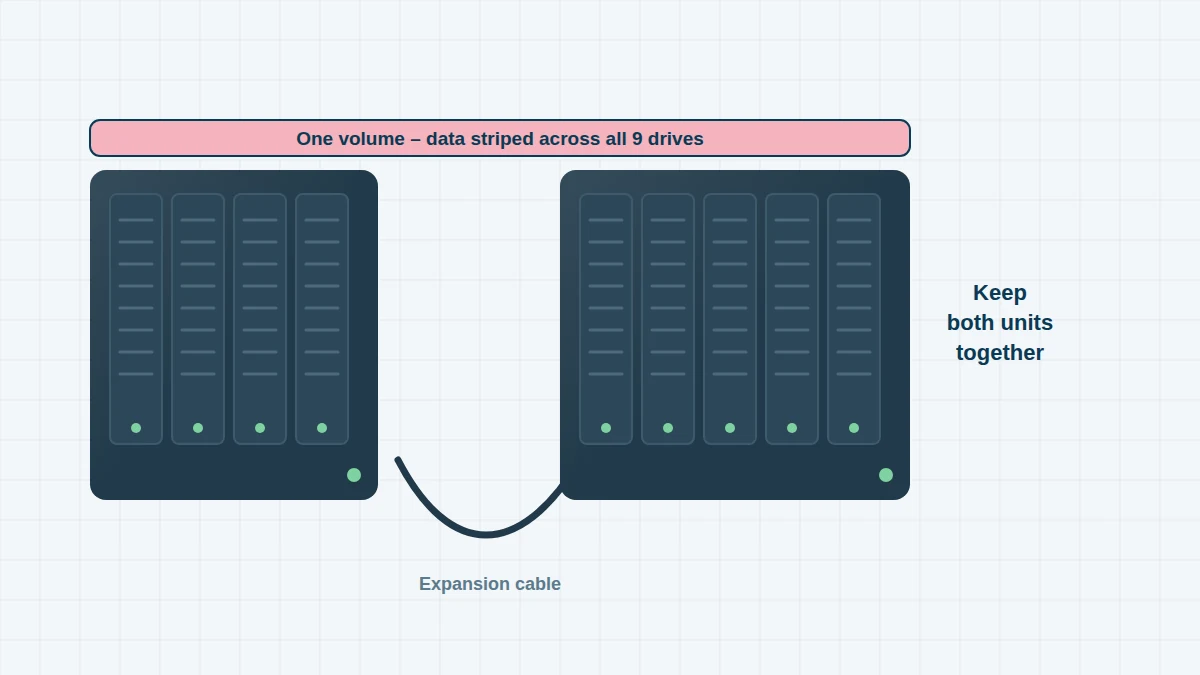
Expansion units add drives to a DiskStation or RackStation. A volume can span the main unit and its expansion units, so all of them are needed for recovery.
| Model year | Model | Drive bays | Notes |
|---|---|---|---|
| 2010 | DX510 | 5 | For DS1010+, DS1511+ and similar |
| 2011 | DX1211 | 12 | |
| 2013 | DX513 | 5 | |
| 2015–20 | DX1215 / DX1215II | 12 | |
| 2017 | DX517 | 5 | Very common with DS918+, DS920+, DS1520+ and DS1522+ |
| 2022 | DX1222 | 12 | |
| 2025 | DX525 | 5 | For 2025 models such as DS725+ and DS925+ |
| 2010–11 | RX410 / RX1211 / RX1211RP | 4 / 12 | Rackmount |
| 2014–15 | RX1214 / RX1214RP / RX415 | 12 / 4 | Rackmount |
| 2017–18 | RX1217 / RX1217RP / RX1217sas / RX418 | 12 / 4 | Rackmount |
| 2017 | RX2417sas | 24 | SAS rackmount |
| 2022 | RX1222sas / RX6022sas | 12 / 60 | SAS rackmount |
BeeStation, BeeDrive & surveillance 6 entries
Personal cloud devices and video recorders from Synology.
| Year | Model | Capacity / bays | Notes |
|---|---|---|---|
| 2023 | BeeStation BST150-4T | 4TB (1 drive) | Personal cloud, runs BeeOS rather than DSM |
| 2025–26 | BeeStation BST151-4T | 4TB (1 drive) | |
| 2025–26 | BeeStation Plus BST170-8T | 8TB (1 drive) | |
| 2023 | BeeDrive BDS70-1T / BDS70-2T | 1TB / 2TB | Portable SSD with automatic backup |
| 2016–18 | NVR216 / NVR1218 | 2 / 4 | Network video recorders |
| 2019–22 | DVA3219 / DVA3221 / DVA1622 | 4 / 4 / 2 | Deep-learning video recorders |
Synology’s 2025 Drive Policy
In 2025, Synology’s new DiskStation models (DS225+, DS425+, DS725+, DS925+, DS1525+ and DS1825+) would only create storage pools on Synology-verified drives. After widespread criticism, Synology restored support for third-party hard drives in DSM 7.3 later that year. Many 2025 systems were therefore bought with Synology HAT3300 or HAT3310 drives – and we recover these exactly as we would any other NAS drive.
Expansion Units – Why Everything Matters
When a volume spans a DiskStation and a DX517 (or a RackStation and an RX unit), the data is striped across both. If the expansion unit is disconnected or loses power, the volume can crash even though every drive is healthy. Never initialise or remove the expansion unit’s drives. Send us every drive from every unit, labelled with its unit and bay number.
BeeStation and BeeDrive
BeeStation runs Synology’s simplified BeeOS rather than DSM, and stores your files on a single internal drive with no RAID redundancy – so a drive failure takes everything with it. BeeDrive is a small portable SSD that backs up your phone and computer automatically. We recover data from both, including BeeStations that no longer power on.
Surveillance Recorders
Synology NVR and DVA units record camera footage continuously and overwrite the oldest recordings first. If you need footage for an investigation or insurance claim, stop recording as soon as possible and contact us. We recover Surveillance Station recordings and export clips with their original timestamps.
Frequently asked questions
My DX517 expansion unit was unplugged and now my volume has crashed. What should I do?
Don’t repair or initialise anything. Often the drives are fine and only the connection between the units was interrupted. Shut both units down and contact us – this is one of the most recoverable Synology failures.
Are Synology-branded drives harder to recover?
No. They are based on established enterprise drive designs, and we can source matching donor parts and use the same firmware tools as for other drives.
My BeeStation won’t turn on. Can you recover my photos?
Usually, yes. We remove the internal drive and recover the files directly, including your photo library.
Free assessment, no obligation. Call 020 7064 4996 or use the form on this page – an engineer will tell you what can be recovered and what it will cost. Book online · Pricing · Locations