
WD Red NAS Drive & My Cloud Data Recovery – Every Model Since 2010
WD Red drives are the most widely used NAS drives in the world, installed in Synology, QNAP, Asustor, TrueNAS and WD’s own My Cloud devices. When a NAS fails, the problem is rarely just one drive – it is the RAID array, the NAS operating system and the file system working together. We recover all three.
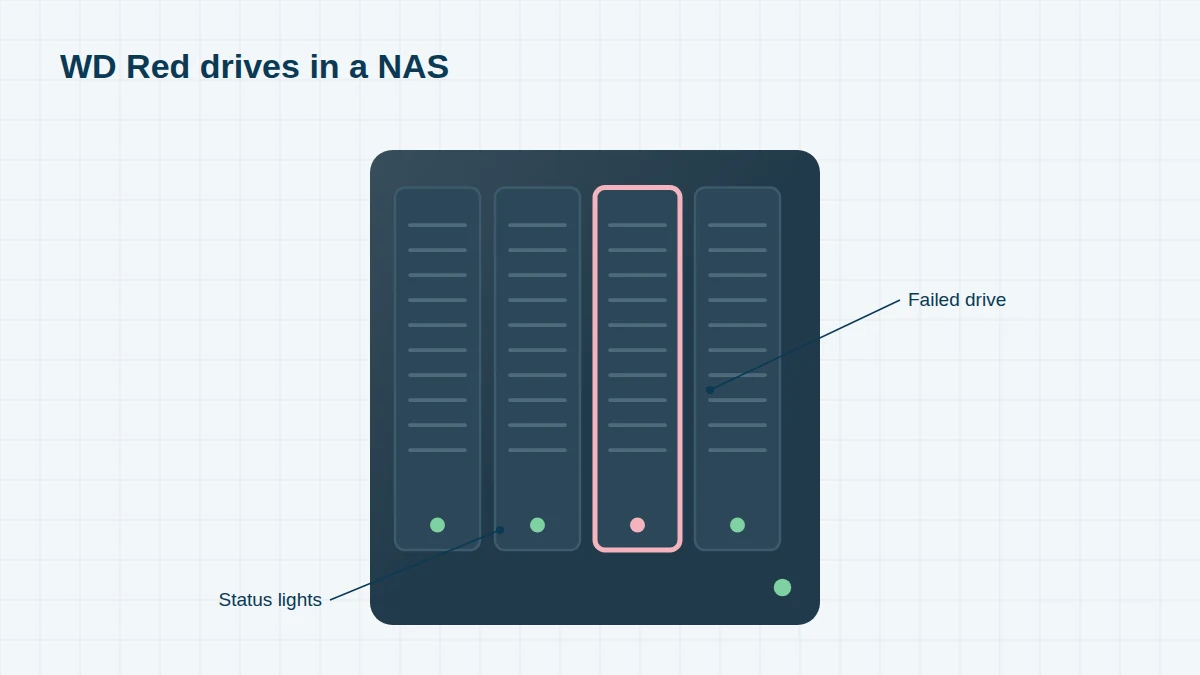
This page covers WD Red, Red Plus and Red Pro drives, and WD My Cloud products. For WD Red SSDs, see WD SSD recovery; for NAS brands, see Synology and QNAP.
WD NAS Drives & Devices, 2010 to Today
Can’t see your model? We recover every WD drive, including OEM and white-label models. Send us a photo of the label – regional suffixes such as -00 or -WESN don’t matter.
Select a range to see its models. Launch years are approximate – many models stayed on sale for several years.
WD Red (original, CMR) – 2012 to 2019 6 entries
WD launched the Red range in 2012 as the first hard drive designed specifically for home and small-business NAS.
| Launched | Part number | Capacity | Notes |
|---|---|---|---|
| 2012 | WD10EFRX / WD20EFRX / WD30EFRX | 1TB–3TB | First WD Red |
| 2013 | WD40EFRX | 4TB | |
| 2014 | WD50EFRX / WD60EFRX | 5TB / 6TB | |
| 2016 | WD80EFZX | 8TB | Helium |
| 2017 | WD80EFAX / WD100EFAX | 8TB / 10TB | Helium, CMR |
| 2018–19 | WD101EFAX / WD120EFAX | 10TB / 12TB | Helium, CMR |
WD Red (SMR) – 2019 to 2020 4 entries
In 2020 it emerged that these WD Red drives used SMR recording, which can make RAID rebuilds extremely slow or cause drives to drop out of the array. WD then renamed its CMR NAS drives “WD Red Plus”. If your NAS contains these models and an array has failed, don’t attempt a rebuild.
| Launched | Part number | Capacity | Notes |
|---|---|---|---|
| 2019 | WD20EFAX | 2TB | SMR |
| 2019 | WD30EFAX | 3TB | SMR |
| 2019 | WD40EFAX | 4TB | SMR |
| 2019 | WD60EFAX | 6TB | SMR |
WD Red Plus (CMR) – 2020 onwards 7 entries
The mainstream NAS drive for 1–8 bay Synology, QNAP and WD My Cloud systems.
| Launched | Part number | Capacity | Notes |
|---|---|---|---|
| 2020 | WD20EFZX / WD30EFZX / WD40EFZX / WD60EFZX | 2TB–6TB | |
| 2020 | WD80EFZZ / WD101EFBX | 8TB / 10TB | |
| 2020–21 | WD120EFBX / WD140EFFX / WD140EFGX | 12TB / 14TB | Helium |
| 2023 | WD20EFPX / WD30EFPX / WD40EFPX | 2TB–4TB | Current revisions |
| 2023 | WD40EFZZ | 4TB | |
| 2023 | WD60EFPX / WD80EFPX | 6TB / 8TB | Current revisions |
| 2024 | WD100EFGX | 10TB |
WD Red Pro – 2013 onwards 14 entries
For larger business NAS systems with up to 24 bays. The 20TB and larger models use OptiNAND and up to 11 helium-sealed platters.
| Launched | Part number | Capacity | Notes |
|---|---|---|---|
| 2013 | WD2001FFSX / WD3001FFSX / WD4001FFSX | 2TB–4TB | First WD Red Pro |
| 2014 | WD5001FFWX / WD6001FFWX | 5TB / 6TB | |
| 2015–16 | WD6002FFWX / WD8001FFWX | 6TB / 8TB | |
| 2017 | WD101KFBX | 10TB | Helium |
| 2018 | WD121KFBX | 12TB | Helium |
| 2018–19 | WD2002FFSX / WD4003FFBX / WD6003FFBX / WD8003FFBX | 2TB–8TB | |
| 2019 | WD102KFBX / WD141KFGX | 10TB / 14TB | |
| 2020 | WD161KFGX / WD181KFGX | 16TB / 18TB | |
| 2021 | WD201KFGX | 20TB | OptiNAND |
| 2022 | WD221KFGX | 22TB | OptiNAND |
| 2023 | WD240KFGX | 24TB | OptiNAND |
| 2023–24 | WD6005FFBX / WD8005FFBX / WD103KFBX / WD122KFBX | 6TB–12TB | Current revisions |
| 2023–24 | WD142KFGX / WD202KFGX / WD241KFGX | 14TB–24TB | Current revisions |
| 2025 | WD260KFGX | 26TB | 11 platters, OptiNAND |
WD network storage – My Book Live to My Cloud 9 entries
WD’s own NAS devices. The part-number prefix identifies the model family; the digits that follow give the capacity, and 0000 means the unit was sold without drives.
| Launched | Part number | Capacity | Notes |
|---|---|---|---|
| 2010 | WDBACG | Various | My Book Live |
| 2011 | WDBVHT | Various | My Book Live Duo |
| 2013 | WDBCTL | Various | My Cloud (single bay) |
| 2013–14 | My Cloud EX4, EX2 and Mirror | Various | First-generation multi-bay My Cloud |
| 2015–16 | WDBWZE | Various | My Cloud EX4100 (4-bay) |
| 2016 | WDBVBZ | Various | My Cloud EX2 Ultra (2-bay) |
| 2016 | WDBBCL / WDBNFA | Various | My Cloud PR2100 (2-bay) / PR4100 (4-bay) |
| 2016 | WDBWVZ | Various | My Cloud Mirror Gen 2 |
| 2017 | WDBVXC / WDBMUT | Various | My Cloud Home / My Cloud Home Duo |
WD My Cloud – Specific Problems
- My Cloud Home and Home Duo don’t store your files under their real names. Files are saved with coded names and a database links them back to your folders. If the database is damaged, the files are still there but appear as meaningless names – we rebuild the original folder structure from the database and file contents.
- My Book Live devices were remotely wiped in a widespread attack in June 2021. If yours was reset, the data may still be recoverable – as long as nothing new has been written to it.
- My Cloud OS 3 devices lost WD support in 2022; firmware problems and failed updates on these units are common.
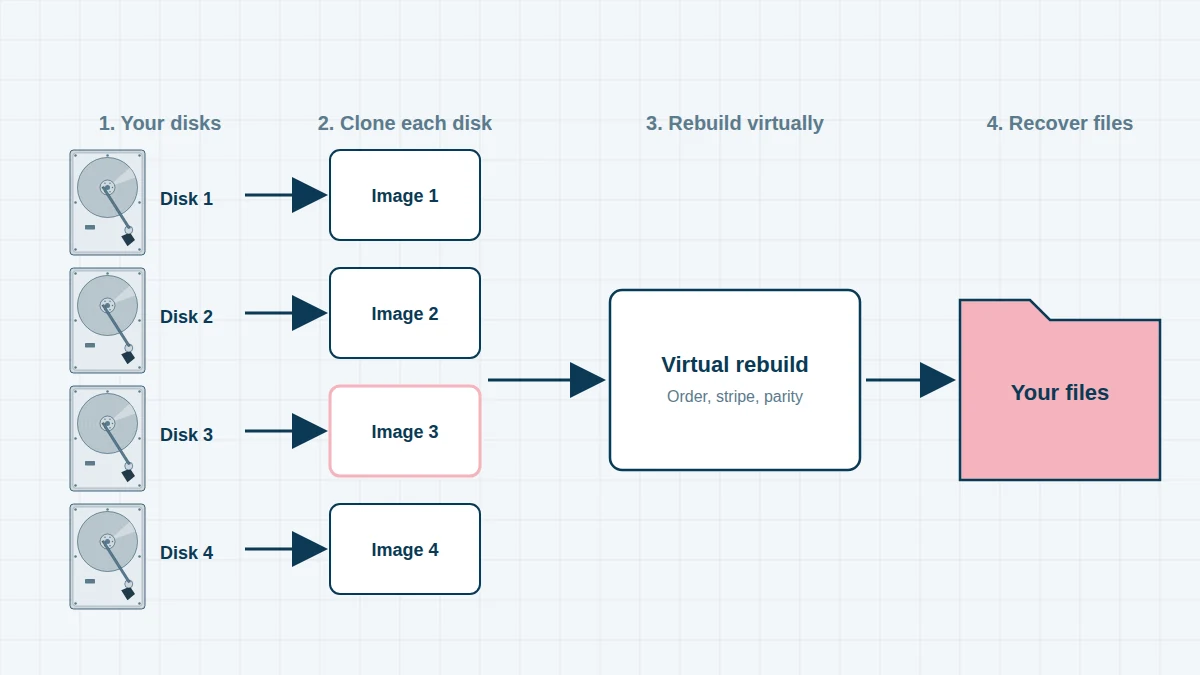
- EX2 Ultra, PR2100, PR4100 and EX4100 use Linux software RAID and ext4. We rebuild these arrays from images of the drives, without needing the NAS itself.
Common WD Red Failures in NAS Systems
- SMR WD Red drives (EFAX) dropping out of the array during a rebuild
- A second drive failing while the NAS rebuilds onto a replacement
- Drives from the same batch wearing out together after years of 24/7 use
- Helium Red Pro drives with head or firmware faults
- NAS reporting “Volume crashed” or “Storage pool degraded”
- Ransomware encrypting NAS shares
Before You Do Anything
Power the NAS down, label every drive with its bay number, and don’t click Repair, Rebuild or Initialise. Don’t move drives into another NAS. See our RAID recovery page for more advice.
Frequently asked questions
Should I replace my WD Red EFAX drives?
If they are healthy, back up your data first. Then consider replacing them one at a time with CMR drives (WD Red Plus or Red Pro), because SMR drives can struggle with RAID rebuilds. If your array has already failed, contact us before attempting any rebuild.
My WD My Cloud Home shows files with strange names. Can you fix this?
Yes. Your files are stored with coded names, and the My Cloud Home database links them back to your folders. We rebuild the original names and folder structure from that database.
Do you need the My Cloud unit or just the drives?
Usually just the drives. For encrypted volumes we may also need the unit and your password.
Free assessment, no obligation. Call 020 7064 4996 or use the form on this page – an engineer will tell you what can be recovered and what it will cost. Book online · Pricing · Locations