
Synology DiskStation Data Recovery – Every Model Since 2010
DiskStation is Synology’s range of desktop NAS devices, from single-bay home backup units to 12-bay business file servers. They are among the most reliable NAS devices available – but drives wear out, power supplies and motherboards fail, and a rebuild started at the wrong moment can take a healthy array offline.
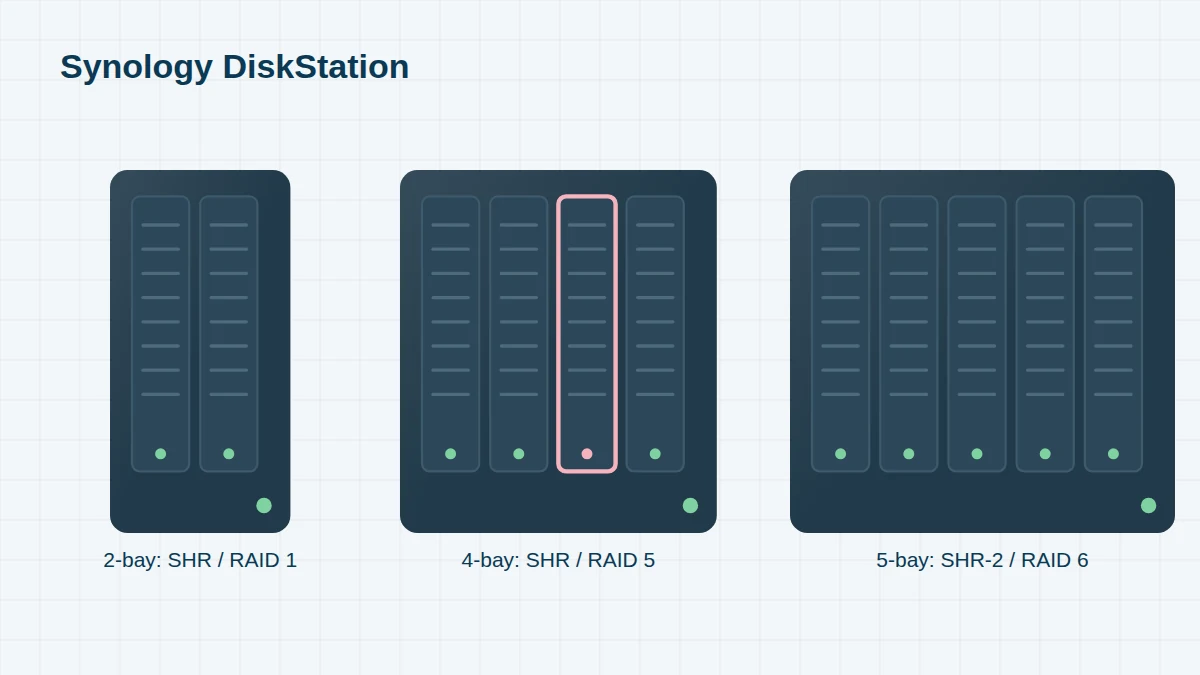
When a DiskStation fails, we recover the data from its drives. In most cases we don’t need the NAS itself: we image every disk, then reassemble Synology’s RAID, SHR, LVM and Btrfs or ext4 layers from those copies. Your original drives are never written to.
Synology DiskStation Models, 2010 to Today
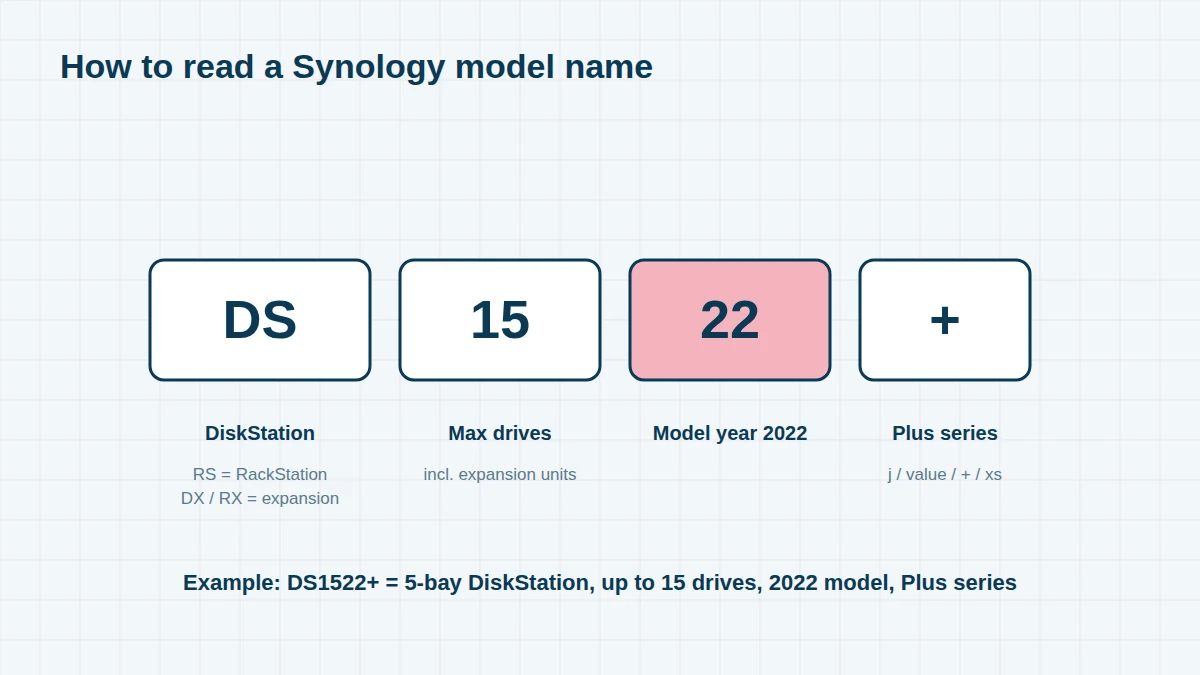
Reading a Synology model name. Take the DS1522+: DS means DiskStation (desktop); 15 is the maximum number of drives it supports including expansion units; 22 is the model year (2022); and the suffix gives the series – j entry-level, no suffix value, + Plus, xs/xs+ high-end. RS is RackStation, DX/RX are expansion units. If your model isn’t listed, send us the name from the label – we recover every Synology system.
1-bay DiskStation 9 entries
Single-drive units have no RAID redundancy, so a failed drive is the whole volume. They are popular for home backups and Time Machine.
| Model year | Model | Drive bays | Notes |
|---|---|---|---|
| 2011 | DS111 | 1 | |
| 2012 | DS112 / DS112j / DS112+ | 1 | |
| 2014 | DS114 | 1 | |
| 2015 | DS115 / DS115j | 1 | |
| 2016 | DS116 | 1 | |
| 2018 | DS118 | 1 | |
| 2019 | DS119j | 1 | |
| 2020 | DS120j | 1 | |
| 2024 | DS124 | 1 |
2-bay DiskStation 19 entries
The most common Synology size in homes and small offices, usually set up as SHR or RAID 1 (mirrored). The 7xx models accept an expansion unit.
| Model year | Model | Drive bays | Notes |
|---|---|---|---|
| 2010 | DS710+ | 2 | Expandable |
| 2011 | DS211 / DS211j / DS211+ | 2 | |
| 2012 | DS212 / DS212j / DS212+ | 2 | |
| 2012 | DS712+ | 2 | Expandable |
| 2013 | DS213 / DS213j / DS213+ / DS213air | 2 | |
| 2013 | DS713+ | 2 | Expandable |
| 2014 | DS214 / DS214se / DS214+ / DS214play | 2 | |
| 2015 | DS215j / DS215+ | 2 | |
| 2015 | DS715 | 2 | Expandable |
| 2016 | DS216 / DS216j / DS216+ / DS216+II / DS216play | 2 | |
| 2016 | DS716+ / DS716+II | 2 | Expandable |
| 2018 | DS218 / DS218j / DS218+ / DS218play | 2 | |
| 2018 | DS718+ | 2 | Expandable |
| 2020 | DS220j / DS220+ | 2 | |
| 2020 | DS720+ | 2 | Expandable, M.2 cache |
| 2023 | DS223 / DS223j | 2 | |
| 2023 | DS723+ | 2 | Expandable |
| 2024 | DS224+ | 2 | |
| 2025 | DS225+ / DS725+ | 2 | 2025 generation |
4-bay DiskStation 16 entries
Four-bay units are usually configured as SHR, RAID 5 or RAID 10. The 9xx models accept a five-bay expansion unit.
| Model year | Model | Drive bays | Notes |
|---|---|---|---|
| 2010 | DS410 / DS410j | 4 | |
| 2011 | DS411 / DS411j / DS411slim / DS411+ / DS411+II | 4 | |
| 2012 | DS412+ | 4 | |
| 2013 | DS413 / DS413j | 4 | |
| 2014 | DS414 / DS414j / DS414slim | 4 | |
| 2015 | DS415+ / DS415play | 4 | DS415+ uses an Intel Atom C2000 CPU – see below |
| 2016 | DS416 / DS416j / DS416play / DS416slim | 4 | |
| 2016 | DS916+ | 4 | Expandable |
| 2018 | DS418 / DS418j / DS418play | 4 | |
| 2018 | DS918+ | 4 | Expandable, M.2 cache |
| 2019 | DS419slim | 4 | 2.5-inch drives |
| 2020 | DS420j / DS420+ | 4 | |
| 2020 | DS920+ | 4 | Expandable, M.2 cache |
| 2023 | DS423 / DS423+ | 4 | |
| 2023 | DS923+ | 4 | Expandable |
| 2025 | DS425+ / DS925+ | 4 | 2025 generation |
5-bay and 6-bay DiskStation 14 entries
Popular with creative studios and small businesses. The 5-bay Plus models accept up to two expansion units.
| Model year | Model | Drive bays | Notes |
|---|---|---|---|
| 2010 | DS1010+ | 5 | |
| 2011 | DS1511+ | 5 | |
| 2012 | DS1512+ | 5 | |
| 2013 | DS1513+ | 5 | |
| 2015 | DS1515 / DS1515+ | 5 | DS1515+ uses an Intel Atom C2000 CPU |
| 2017 | DS1517 / DS1517+ | 5 | |
| 2018 | DS1618+ | 6 | |
| 2018 | DS3018xs | 6 | |
| 2019 | DS1019+ | 5 | |
| 2020 | DS1520+ | 5 | |
| 2020 | DS620slim | 6 | 2.5-inch drives |
| 2021 | DS1621+ / DS1621xs+ | 6 | |
| 2022 | DS1522+ | 5 | |
| 2025 | DS1525+ | 5 | 2025 generation |
8-bay and 12-bay DiskStation 18 entries
Larger desktop units used as business file servers, backup targets and video-editing storage.
| Model year | Model | Drive bays | Notes |
|---|---|---|---|
| 2011 | DS2411+ | 12 | |
| 2011 | DS3611xs | 12 | |
| 2012 | DS1812+ | 8 | |
| 2012 | DS3612xs | 12 | |
| 2013 | DS1813+ | 8 | |
| 2013 | DS2413+ | 12 | |
| 2015 | DS1815+ | 8 | Intel Atom C2000 CPU |
| 2015 | DS2415+ | 12 | Intel Atom C2000 CPU |
| 2015 | DS3615xs | 12 | |
| 2017 | DS1817 / DS1817+ | 8 | |
| 2017 | DS3617xs / DS3617xsII | 12 | |
| 2019 | DS1819+ | 8 | |
| 2019 | DS2419+ | 12 | |
| 2021 | DS1821+ | 8 | |
| 2022 | DS2422+ | 12 | |
| 2022 | DS3622xs+ | 12 | |
| 2023 | DS1823xs+ | 8 | |
| 2025 | DS1825+ | 8 | 2025 generation |
Common DiskStation Failures
- “Volume crashed” or “Storage pool degraded” after one or more drives fail or drop out
- Failed repair – a second drive gives up while DSM rebuilds onto a replacement
- DiskStation won’t power on or boot – blue flashing light, no web interface, or constant beeping
- Intel Atom C2000 failure – the DS415+, DS1515+, DS1815+ and DS2415+ (and some RackStations of the same era) can stop booting because of a known fault in the Intel C2000 processor. The drives and data are normally unaffected, and we recover them without needing a working unit.
- Failed DSM update or migration – for example moving drives from an older DiskStation into a new one
- Accidental deletion of shared folders, or a reset or reinstall of DSM
- Ransomware encrypting shared folders (DeadBolt, eCh0raix and other NAS-targeted strains)
Older DiskStations
Many older DiskStations – particularly 2010–2012 models – can’t run DSM 7 and stopped receiving updates at DSM 6.2. Many are still running, often with their original drives – which are now well beyond their expected lifespan. If an older unit is showing warnings, back it up now. If it has already failed, don’t put its drives into a newer DiskStation to “migrate” them until the data is safe.
How We Recover a DiskStation
See our SHR, Btrfs & DSM recovery page for how Synology stores data and how we rebuild it. If your DiskStation used an expansion unit, please send that too – see Synology drives & expansion units.
Frequently asked questions
Do you need my DiskStation, or just the drives?
Usually just the drives, labelled with their bay numbers. If you used encrypted shared folders or volume encryption, please also send your password or key file.
My DS1515+ just stopped working. Is my data lost?
Almost certainly not. The DS1515+ and other Intel Atom C2000 models are known to stop booting because of a processor fault, but the drives are usually fine. We recover the data directly from the drives.
Can I put my drives into a new Synology to get my data back?
If the drives are healthy and you follow Synology’s migration process, this can work. But if any drive has failed or the volume has crashed, migration can trigger a repair that makes things worse. Contact us first if the data is important.
Free assessment, no obligation. Call 020 7064 4996 or use the form on this page – an engineer will tell you what can be recovered and what it will cost. Book online · Pricing · Locations